Retiring Clinical Hardware Without Regulatory Regret: A Decommissioning Decision Framework
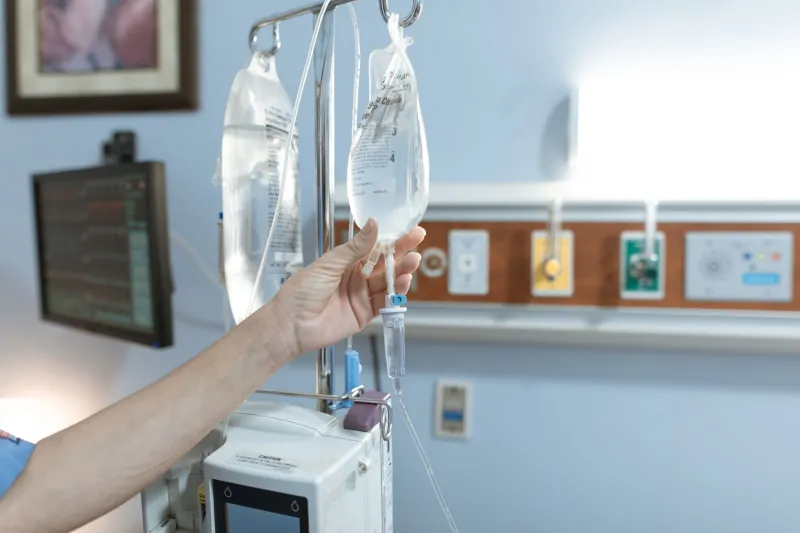
Most clinic procurement guides focus on acquisition: specifications, warranties, financing, and delivery. Retirement receives far less attention, yet it carries its own risks. An old infusion pump may retain drug libraries and event logs. An imaging workstation may hold protected health information. An exam table may contain hydraulic fluid or a battery that cannot go into a dumpster. As of November 2026, clinics need a repeatable decommissioning process that protects data, satisfies US disposal rules, and recovers value where possible.
Treat Retirement as a Project, Not a Pickup
A decommissioning project begins with an inventory, not a haul-away call. Assign an owner in practice operations or facilities, record the asset tag and serial number, note the device location and condition, and freeze the device from clinical use. If the device stores data, do not let it move to a storage closet without a chain-of-custody record. The goal is to know what the device is, what it contains, and where it goes.
Step 1: Classify the Device by Data and Hazard
Ask two questions for every item: does it store or transmit patient information, and does it contain a regulated material? Data-bearing devices include imaging workstations, lab analyzers with patient records, infusion pumps with drug libraries, and any device with a network connection or removable storage. Non-data durable equipment includes exam tables, chairs, scales, and stands, though even those may contain batteries or hydraulic components.
Create three buckets: data-bearing devices, non-data durable equipment, and regulated waste. A device can belong to more than one bucket. An infusion pump, for example, is both data-bearing and potentially subject to manufacturer takeback or battery recycling requirements.
Step 2: Sanitize Data to a Defensible Standard
HIPAA does not prescribe a single destruction method, but the Security Rule requires reasonable safeguards for protected health information. For decommissioning, align the process with a recognized standard such as NIST SP 800-88. Acceptable methods include cryptographic erase where the manufacturer supports it, secure overwrite for accessible storage, and physical destruction of drives or embedded media when sanitization cannot be verified.
Do not rely on deleting files, removing user accounts, or performing a factory reset. Those steps may leave recoverable data. Remove removable media, SIM cards, and network credentials. Ask the manufacturer for the correct sanitization procedure for the specific model, especially for devices with embedded storage. If the manufacturer cannot provide a verifiable method, destroy the storage component.
Document the sanitization with a certificate that lists the device identifier, method used, date, technician, and confirmation that data was removed. If a vendor performs the work, obtain the certificate before the device leaves the clinic.
Step 3: Decide Resale Versus Recycling
Resale makes sense when the device is functional, has a resale market, can be sanitized, and has clear title. It also requires a buyer who will accept the device in its current condition. Trade-in can be better than resale when the vendor credit exceeds the net resale price after logistics, refurbishment, and sales effort. Recycling is appropriate when the device is obsolete, damaged, or cannot be sanitized to a defensible standard.
A simple decision path helps:
- Does the device store patient data? If yes, sanitize or destroy the storage before any resale, donation, or recycling.
- Is the device functional and supported by the manufacturer? If no, recycle through a certified electronics recycler.
- Is there a credible buyer or trade-in credit? Compare net recovery, not headline price.
- Does the device contain hazardous materials, batteries, or pressurized components? Use a recycler that accepts them and provides documentation.
- Is the device being donated? Sanitize it and document the transfer just as you would for a sale.
Step 4: Document for Audit and Financial Close
A decommissioning file should stand on its own if a compliance auditor, insurer, or finance team asks questions later. Include the asset retirement form, the sanitization certificate, the bill of lading, the recycler certification, the resale invoice or trade-in credit, and any disposal manifest. If a device is donated, include the recipient and the sanitization record.
Update the fixed asset register, service contracts, insurance schedule, and inventory system. Remove network access and vendor monitoring credentials. Close the loop with finance so the asset is not depreciated after it has left the building. Retain records according to the clinic's record retention policy and any applicable state requirements.
Step 5: Avoid the Common Retirement Mistakes
The most frequent errors are not technical. They are procedural: devices sit in a storage room for months because no one owns the decision; accessories and manuals are separated from the device and reduce resale value; software licenses are transferred without checking the agreement; data remains on a pump that was assumed to be non-data-bearing; and old electronics go into the general waste stream because the pickup was urgent.
A better approach is to schedule decommissioning at the same time as replacement planning. Ask the vendor about de-installation, haul-away, and trade-in credit before the new device arrives. Get competing resale quotes for high-value equipment. Use a certified recycler for electronics and document the chain of custody.
Retirement is not the end of procurement. It is the final control point in the asset lifecycle. Clinics that treat it with the same discipline as purchasing protect patient data, avoid disposal penalties, and recover more value from equipment that has reached the end of its clinical life.